
Clover Origins Codes (July 2026)
All working Clover Origins codes in one place — sourced from official developer channels. Copy any code, paste it in-game and claim your free rewards instantly.
Last updated: May 23, 2026
Disclaimer
- ✓ These codes are released by the game developers — not by GamingFansites
- ✓ We only track & verify them from official sources (Discord, social media)
- ✓ We never ask for your Roblox password or account details
- ✓ Redeeming codes is always free and done inside the game itself
- ✓ No affiliation with Clover Origins or Roblox Corporation
No Active Codes Right Now
There are currently no active codes for Clover Origins. Check back soon — new codes are added as soon as they're released!
How to Redeem Clover Origins Codes
Clover Origins codes are free reward codes for the Roblox anime RPG Clover Origins. Players can redeem these codes to claim useful in-game rewards such as Yens, stat resets, Grimoire Spins, Broom Spins, Race Spins, Trait Spins, EXP boosts, and Luck boosts. These rewards are especially helpful if you want to progress faster, reroll your character build, unlock better traits, test new playstyles, or prepare for new updates without spending extra time grinding. Most Clover Origins codes are released during like milestones, bug fixes, shutdown compensations, community events, and major game updates. To redeem Clover Origins codes, you must first join the official Funzy Labs Roblox group. After joining the group, open Clover Origins, go to the in-game menu, select Info, enter a working code, and press Enter to claim your rewards. We regularly check official Clover Origins announcements and community updates to keep this page accurate. Since Roblox codes can expire without warning, redeem every working Clover Origins code as soon as possible and bookmark this page for future updates.
Join the Funzy Labs Roblox Group
Before you can redeem Clover Origins codes, you need to join the official Funzy Labs Roblox group. This is required by the game, and codes may not work if your Roblox account is not a member of the group.
Open Clover Origins on Roblox
Launch Clover Origins through Roblox and wait until the game has fully loaded. Make sure you are using the same Roblox account that joined the Funzy Labs group.
Open the In-Game Menu
Once you are inside Clover Origins, open the in-game menu. The menu gives you access to important game options, including the section where codes can be redeemed.
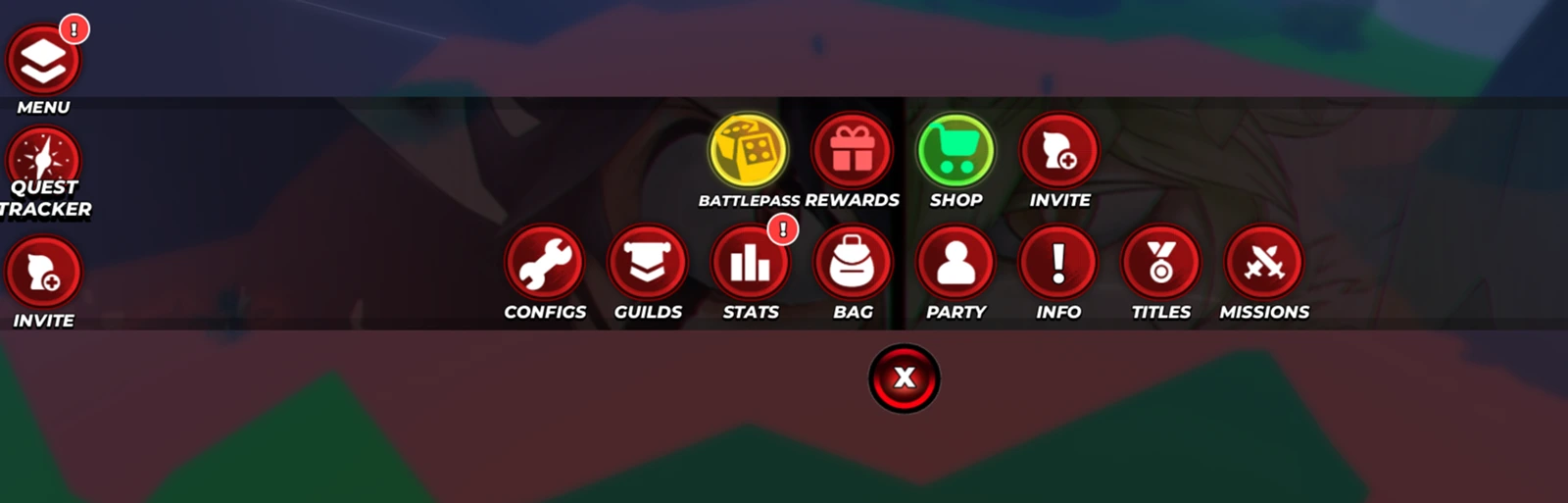
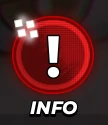
Select the Info Option
In the menu, click or tap on the Info option. The Clover Origins code redemption box is located in this section.
Enter a Working Clover Origins Code
Copy a working Clover Origins code from the active codes list and paste it into the code box. Codes are often case-sensitive, so enter them exactly as shown, including numbers, capital letters, and exclamation marks.
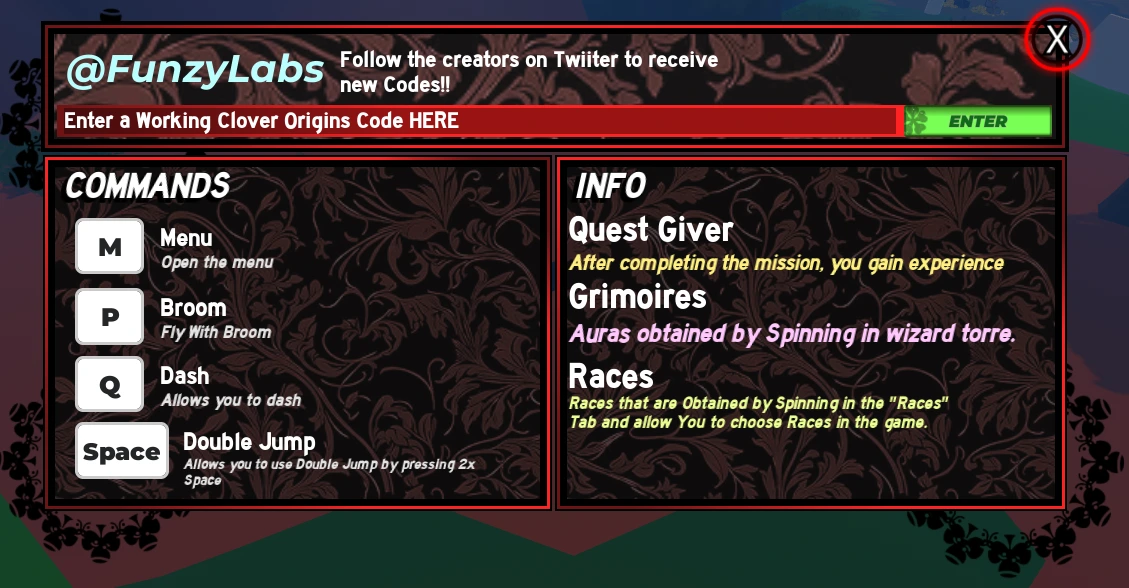
Press Enter to Claim Your Rewards
After entering the code, press Enter to redeem it. If the code is active, correctly typed, and has not already been used on your account, your free Clover Origins rewards will be added automatically.
Clover Origins codes are one of the easiest ways to get free rewards in the game, including Yens, Spins, stat resets, EXP boosts, and Luck boosts. New codes are usually released when the game reaches new like milestones, receives bug fixes, has shutdown compensation, or launches fresh updates. If a Clover Origins code is not working, check that you have joined the Funzy Labs Roblox group, copied the code correctly, included all special characters, and have not already redeemed it before. Some codes may also expire quickly, so it is best to redeem new codes as soon as they are available. Bookmark this page and check back regularly for the latest working Clover Origins codes. We keep this codes list updated so you can quickly claim new rewards and continue progressing through your Clover Origins journey.
Frequently Asked Questions
What are Clover Origins codes?▼
Clover Origins codes are special strings released by the game developers that you can enter inside the game to receive free rewards such as in-game currency, items, boosts and more.
How do I redeem Clover Origins codes?▼
Open Clover Origins in Roblox, look for the codes or settings menu inside the game, paste or type the code, and hit redeem. The rewards will be added to your in-game account instantly.
Why isn't my Clover Origins code working?▼
Make sure you're entering the code exactly as shown (codes are case-sensitive). Check if the code has expired. Some codes can only be redeemed once per account.
How often are new Clover Origins codes released?▼
New codes are typically released during game updates, milestones, holidays and special events. We check for new codes daily and update this page as soon as new ones are confirmed.
Where does GamingFansites get the codes?▼
We monitor official developer channels, social media accounts and community sources to find new codes as soon as they are released. Our team verifies every code before listing it.
Do Clover Origins codes expire?▼
Yes, most codes have an expiration date. We mark estimated expiry dates on each code. Once a code expires, it can no longer be redeemed. Claim codes as soon as possible!
Can I use each code more than once?▼
No, each code can typically only be redeemed once per account. If you've already redeemed a code, you won't be able to use it again.
Are the codes on GamingFansites safe to use?▼
Absolutely! All codes listed here are official codes released by the game developers. They are completely safe and free to use. We never list unofficial or third-party codes.
All Active Codes
We collect and verify every active Clover Origins code so you always have the full list ready.
Redeem In-Game
Copy any code and redeem it directly inside Clover Origins for free in-game rewards.
Always Up-to-Date
Expired codes are removed and new codes added as soon as they're released.